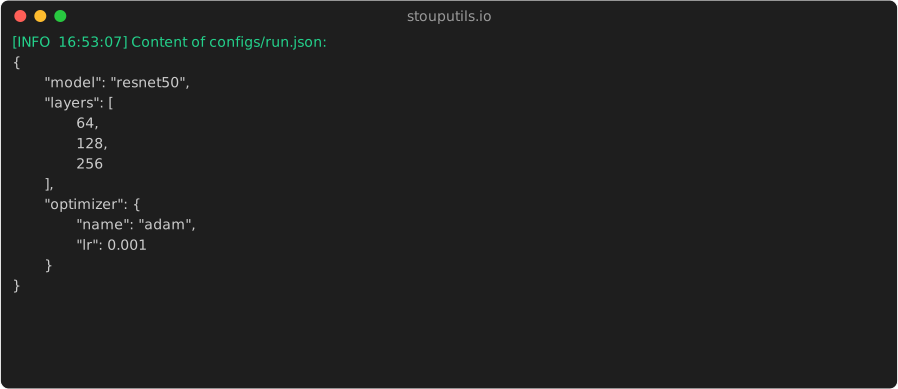
stouputils.io module#
This module provides utilities for file management.
get_root_path: Get the absolute path of the directory
relative_path: Get the relative path of a file relative to a given directory
json_dump: Writes the provided data to a JSON file with a specified indentation depth.
json_load: Load a JSON file from the given path
csv_dump: Writes data to a CSV file with customizable options
csv_load: Load a CSV file from the given path
super_copy: Copy a file (or a folder) from the source to the destination (always create the directory)
super_open: Open a file with the given mode, creating the directory if it doesn’t exist (only if writing)
replace_tilde: Replace the “~” by the user’s home directory
clean_path: Clean the path by replacing backslashes with forward slashes and simplifying the path
- get_root_path(relative_path: str, go_up: int = 0) str[source]#
Get the absolute path of the directory. Usually used to get the root path of the project using the __file__ variable.
- Parameters:
relative_path (str) – The path to get the absolute directory path from
go_up (int) – Number of parent directories to go up (default: 0)
- Returns:
The absolute path of the directory
- Return type:
str
Examples
> get_root_path(__file__) 'C:/Users/Alexandre-PC/AppData/Local/Programs/Python/Python310/lib/site-packages/stouputils' > get_root_path(__file__, 3) 'C:/Users/Alexandre-PC/AppData/Local/Programs/Python/Python310'
- relative_path(file_path: str, relative_to: str = '') str[source]#
Get the relative path of a file relative to a given directory.
- Parameters:
file_path (str) – The path to get the relative path from
relative_to (str) – The path to get the relative path to (default: current working directory -> os.getcwd())
- Returns:
The relative path of the file
- Return type:
str
Examples
>>> relative_path("D:/some/random/path/stouputils/io.py", "D:\\some") 'random/path/stouputils/io.py' >>> relative_path("D:/some/random/path/stouputils/io.py", "D:\\some\\") 'random/path/stouputils/io.py'
- json_dump(
- data: Any,
- file: IO[Any] | str | None = None,
- max_level: int | None = 2,
- indent: str | int = '\t',
- suffix: str = '\n',
Writes the provided data to a JSON file with a specified indentation depth. For instance, setting max_level to 2 will limit the indentation to 2 levels.
- Parameters:
data (Any) – The data to dump (usually a dict or a list)
file (IO[Any] | str) – The file object or path to dump the data to
max_level (int | None) – The depth of indentation to stop at (-1 for infinite), None will default to 2
indent (str | int) – The indentation character (default: ‘t’)
suffix (str) – The suffix to add at the end of the string (default: ‘n’)
- Returns:
The content of the file in every case
- Return type:
str
>>> json_dump({"a": [[1,2,3]], "b": 2}, max_level = 0) '{"a": [[1,2,3]],"b": 2}\n' >>> json_dump({"a": [[1,2,3]], "b": 2}, max_level = 1) '{\n\t"a": [[1,2,3]],\n\t"b": 2\n}\n' >>> json_dump({"a": [[1,2,3]], "b": 2}, max_level = 2) '{\n\t"a": [\n\t\t[1,2,3]\n\t],\n\t"b": 2\n}\n' >>> json_dump({"a": [[1,2,3]], "b": 2}, max_level = 3) '{\n\t"a": [\n\t\t[\n\t\t\t1,\n\t\t\t2,\n\t\t\t3\n\t\t]\n\t],\n\t"b": 2\n}\n'
- json_load(file_path: str) Any[source]#
Load a JSON file from the given path
- Parameters:
file_path (str) – The path to the JSON file
- Returns:
The content of the JSON file
- Return type:
Any
- csv_dump(
- data: Any,
- file: IO[Any] | str | None = None,
- delimiter: str = ',',
- has_header: bool = True,
- index: bool = False,
- *args: Any,
- **kwargs: Any,
Writes data to a CSV file with customizable options and returns the CSV content as a string.
- Parameters:
data (list[list[Any]] | list[dict[str, Any]] | pd.DataFrame | pl.DataFrame) – The data to write, either a list of lists, list of dicts, pandas DataFrame, or Polars DataFrame
file (IO[Any] | str) – The file object or path to dump the data to
delimiter (str) – The delimiter to use (default: ‘,’)
has_header (bool) – Whether to include headers (default: True, applies to dict and DataFrame data)
index (bool) – Whether to include the index (default: False, only applies to pandas DataFrame)
*args (Any) – Additional positional arguments to pass to the underlying CSV writer or DataFrame method
**kwargs (Any) – Additional keyword arguments to pass to the underlying CSV writer or DataFrame method
- Returns:
The CSV content as a string
- Return type:
str
Examples
>>> csv_dump([["a", "b", "c"], [1, 2, 3], [4, 5, 6]]) 'a,b,c\r\n1,2,3\r\n4,5,6\r\n'
>>> csv_dump([{"name": "Alice", "age": 30}, {"name": "Bob", "age": 25}]) 'name,age\r\nAlice,30\r\nBob,25\r\n'
- csv_load(
- file_path: str,
- delimiter: str = ',',
- has_header: bool = True,
- as_dict: bool = False,
- as_dataframe: bool = False,
- use_polars: bool = False,
- *args: Any,
- **kwargs: Any,
Load a CSV file from the given path
- Parameters:
file_path (str) – The path to the CSV file
delimiter (str) – The delimiter used in the CSV (default: ‘,’)
has_header (bool) – Whether the CSV has a header row (default: True)
as_dict (bool) – Whether to return data as list of dicts (default: False)
as_dataframe (bool) – Whether to return data as a DataFrame (default: False)
use_polars (bool) – Whether to use Polars instead of pandas for DataFrame (default: False, requires polars)
*args – Additional positional arguments to pass to the underlying CSV reader or DataFrame method
**kwargs – Additional keyword arguments to pass to the underlying CSV reader or DataFrame method
- Returns:
The content of the CSV file
- Return type:
list[list[str]] | list[dict[str, str]] | pd.DataFrame | pl.DataFrame
Examples
> Assuming "test.csv" contains: a,b,c\n1,2,3\n4,5,6 > csv_load("test.csv") [['1', '2', '3'], ['4', '5', '6']] > csv_load("test.csv", as_dict=True) [{'a': '1', 'b': '2', 'c': '3'}, {'a': '4', 'b': '5', 'c': '6'}] > csv_load("test.csv", as_dataframe=True) a b c 0 1 2 3 1 4 5 6
> csv_load("test.csv", as_dataframe=True, use_polars=True) shape: (2, 3) ┌─────┬─────┬─────┐ │ a ┆ b ┆ c │ │ --- ┆ --- ┆ --- │ │ i64 ┆ i64 ┆ i64 │ ╞═════╪═════╪═════╡ │ 1 ┆ 2 ┆ 3 │ │ 4 ┆ 5 ┆ 6 │ └─────┴─────┴─────┘
- super_copy(
- src: str,
- dst: str,
- create_dir: bool = True,
- symlink: bool = False,
Copy a file (or a folder) from the source to the destination
- Parameters:
src (str) – The source path
dst (str) – The destination path
create_dir (bool) – Whether to create the directory if it doesn’t exist (default: True)
symlink (bool) – Whether to create a symlink instead of copying (Linux only, default: True)
- Returns:
The destination path
- Return type:
str
- super_open(
- file_path: str,
- mode: str,
- encoding: str = 'utf-8',
Open a file with the given mode, creating the directory if it doesn’t exist (only if writing)
- Parameters:
file_path (str) – The path to the file
mode (str) – The mode to open the file with, ex: “w”, “r”, “a”, “wb”, “rb”, “ab”
encoding (str) – The encoding to use when opening the file (default: “utf-8”)
- Returns:
The file object, ready to be used
- Return type:
open
- read_file(file_path: str, encoding: str = 'utf-8') str[source]#
Read the content of a file and return it as a string
- Parameters:
file_path (str) – The path to the file
encoding (str) – The encoding to use when opening the file (default: “utf-8”)
- Returns:
The content of the file
- Return type:
str
- replace_tilde(path: str) str[source]#
Replace the “~” by the user’s home directory
- Parameters:
path (str) – The path to replace the “~” by the user’s home directory
- Returns:
The path with the “~” replaced by the user’s home directory
- Return type:
str
Examples
> replace_tilde("~/Documents/test.txt") '/home/user/Documents/test.txt'
- clean_path(
- file_path: str,
- trailing_slash: bool = True,
Clean the path by replacing backslashes with forward slashes and simplifying the path
- Parameters:
file_path (str) – The path to clean
trailing_slash (bool) – Whether to keep the trailing slash, ex: “test/” -> “test/”
- Returns:
The cleaned path
- Return type:
str
Examples
>>> clean_path("C:\\Users\\Stoupy\\Documents\\test.txt") 'C:/Users/Stoupy/Documents/test.txt'
>>> clean_path("Some Folder////") 'Some Folder/'
>>> clean_path("test/uwu/1/../../") 'test/'
>>> clean_path("some/./folder/../") 'some/'
>>> clean_path("folder1/folder2/../../folder3") 'folder3'
>>> clean_path("./test/./folder/") 'test/folder/'
>>> clean_path("C:/folder1\\folder2") 'C:/folder1/folder2'