stouputils.print module#

This module provides utility functions for printing messages with different levels of importance.

If a message is printed multiple times, it will be displayed as “(xN) message” where N is the number of times the message has been printed.

stouputils print examples
colored_for_loop(
iterable: Iterable[T],
desc: str = 'Processing',
color: str = '\x1b[95m',
bar_format: str = '{l_bar}{bar}\x1b[95m| {n_fmt}/{total_fmt} [{rate_fmt}{postfix}, {elapsed}<{remaining}]\x1b[0m',
ascii: bool = False,
**kwargs: Any,
) Iterator[T][source]#

Function to iterate over a list with a colored TQDM progress bar like the other functions in this module.

Parameters:
  • iterable (Iterable) – List to iterate over

  • desc (str) – Description of the function execution displayed in the progress bar

  • color (str) – Color of the progress bar (Defaults to MAGENTA)

  • bar_format (str) – Format of the progress bar (Defaults to BAR_FORMAT)

  • ascii (bool) – Whether to use ASCII or Unicode characters for the progress bar (Defaults to False)

  • verbose (int) – Level of verbosity, decrease by 1 for each depth (Defaults to 1)

  • **kwargs – Additional arguments to pass to the TQDM progress bar

Yields:

T – Each item of the iterable

Examples

>>> for i in colored_for_loop(range(10), desc="Time sleeping loop"):
...     time.sleep(0.01)
>>> # Time sleeping loop: 100%|██████████████████| 10/10 [ 95.72it/s, 00:00<00:00]
info(
*values: Any,
color: str = '\x1b[92m',
text: str = 'INFO ',
prefix: str = '',
file: TextIO | list[TextIO] | None = None,
**print_kwargs: Any,
) None[source]#

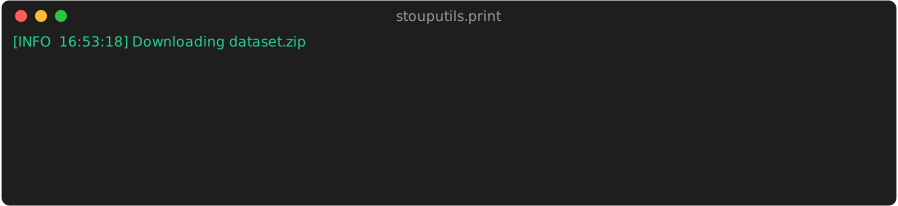
Print an information message looking like “[INFO HH:MM:SS] message” in green by default.

Parameters:
  • values (Any) – Values to print (like the print function)

  • color (str) – Color of the message (default: GREEN)

  • text (str) – Text of the message (default: “INFO “)

  • prefix (str) – Prefix to add to the values

  • file (TextIO|list[TextIO]) – File(s) to write the message to (default: sys.stdout)

  • print_kwargs (dict) – Keyword arguments to pass to the print function

debug(
*values: Any,
**print_kwargs: Any,
) None[source]#

Print a debug message looking like “[DEBUG HH:MM:SS] message” in cyan by default.

alt_debug(
*values: Any,
**print_kwargs: Any,
) None[source]#

Print a debug message looking like “[DEBUG HH:MM:SS] message” in blue by default.

suggestion(
*values: Any,
**print_kwargs: Any,
) None[source]#

Print a suggestion message looking like “[SUGGESTION HH:MM:SS] message” in cyan by default.

progress(
*values: Any,
**print_kwargs: Any,
) None[source]#

Print a progress message looking like “[PROGRESS HH:MM:SS] message” in magenta by default.

warning(
*values: Any,
**print_kwargs: Any,
) None[source]#

Print a warning message looking like “[WARNING HH:MM:SS] message” in yellow by default and in sys.stderr.

error(
*values: Any,
exit: bool = False,
**print_kwargs: Any,
) None[source]#

Print an error message (in sys.stderr and in red by default) and optionally ask the user to continue or stop the program.

Parameters:
  • values (Any) – Values to print (like the print function)

  • exit (bool) – Whether to ask the user to continue or stop the program, false to ignore the error automatically and continue

  • print_kwargs (dict) – Keyword arguments to pass to the print function

whatisit(*values: ~typing.Any, print_function: ~collections.abc.Callable[[...], None] = <function debug>, max_length: int = 250, color: str = '\x1b[96m', **print_kwargs: ~typing.Any) None[source]#

Print the type of each value and the value itself, with its id and length/shape.

The output format is: “type, <id id_number>: (length/shape) value”

Parameters:
  • values (Any) – Values to print

  • print_function (Callable) – Function to use to print the values (default: debug())

  • max_length (int) – Maximum length of the value string to print (default: 250)

  • color (str) – Color of the message (default: CYAN)

  • print_kwargs (dict) – Keyword arguments to pass to the print function

breakpoint(*values: ~typing.Any, print_function: ~collections.abc.Callable[[...], None] = <function warning>, **print_kwargs: ~typing.Any) None[source]#

Breakpoint function, pause the program and print the values.

Parameters:
  • values (Any) – Values to print

  • print_function (Callable) – Function to use to print the values (default: warning())

  • print_kwargs (dict) – Keyword arguments to pass to the print function

class TeeMultiOutput(
*files: IO[Any],
strip_colors: bool = True,
ascii_only: bool = True,
ignore_lineup: bool = True,
)[source]#

Bases: object

File-like object that duplicates output to multiple file-like objects.

Parameters:
  • *files (IO[Any]) – One or more file-like objects that have write and flush methods

  • strip_colors (bool) – Strip ANSI color codes from output sent to non-stdout/stderr files

  • ascii_only (bool) – Replace non-ASCII characters with their ASCII equivalents for non-stdout/stderr files

  • ignore_lineup (bool) – Ignore lines containing LINE_UP escape sequence in non-terminal outputs

Examples

>>> f = open("logfile.txt", "w")
>>> sys.stdout = TeeMultiOutput(sys.stdout, f)
>>> print("Hello World")  # Output goes to both console and file
Hello World
>>> f.close()   # TeeMultiOutput will handle any future writes to closed files gracefully
files: tuple[IO[Any], ...]#

File-like objects to write to

strip_colors: bool#

Whether to strip ANSI color codes from output sent to non-stdout/stderr files

ascii_only: bool#

Whether to replace non-ASCII characters with their ASCII equivalents for non-stdout/stderr files

ignore_lineup: bool#

Whether to ignore lines containing LINE_UP escape sequence in non-terminal outputs

property encoding: str#

Get the encoding of the first file, or “utf-8” as fallback.

Returns:

The encoding, ex: “utf-8”, “ascii”, “latin1”, etc.

Return type:

str

write(obj: str) int[source]#

Write the object to all files while stripping colors if needed.

Parameters:

obj (str) – String to write

Returns:

Number of characters written to the first file

Return type:

int

flush() None[source]#

Flush all files.

fileno() int[source]#

Return the file descriptor of the first file.

remove_colors(text: str) str[source]#

Remove the colors from a text

is_same_print(
*args: Any,
**kwargs: Any,
) bool[source]#

Checks if the current print call is the same as the previous one.

current_time() str[source]#

Get the current time as “HH:MM:SS” if less than 24 hours since import, else “YYYY-MM-DD HH:MM:SS”

show_version(
main_package: str = 'stouputils',
primary_color: str = '\x1b[96m',
secondary_color: str = '\x1b[92m',
) None[source]#

Print the version of the main package and its dependencies.

Used by the “stouputils –version” command.

Parameters:
  • main_package (str) – Name of the main package to show version for

  • primary_color (str) – Color to use for the primary package name

  • secondary_color (str) – Color to use for the secondary package names